Best AI tools for law firms in 2026
By Leandro Faria · · Updated · 12 min read
Disclosure: Bizzy is built by 33Labs, the publisher of this guide.

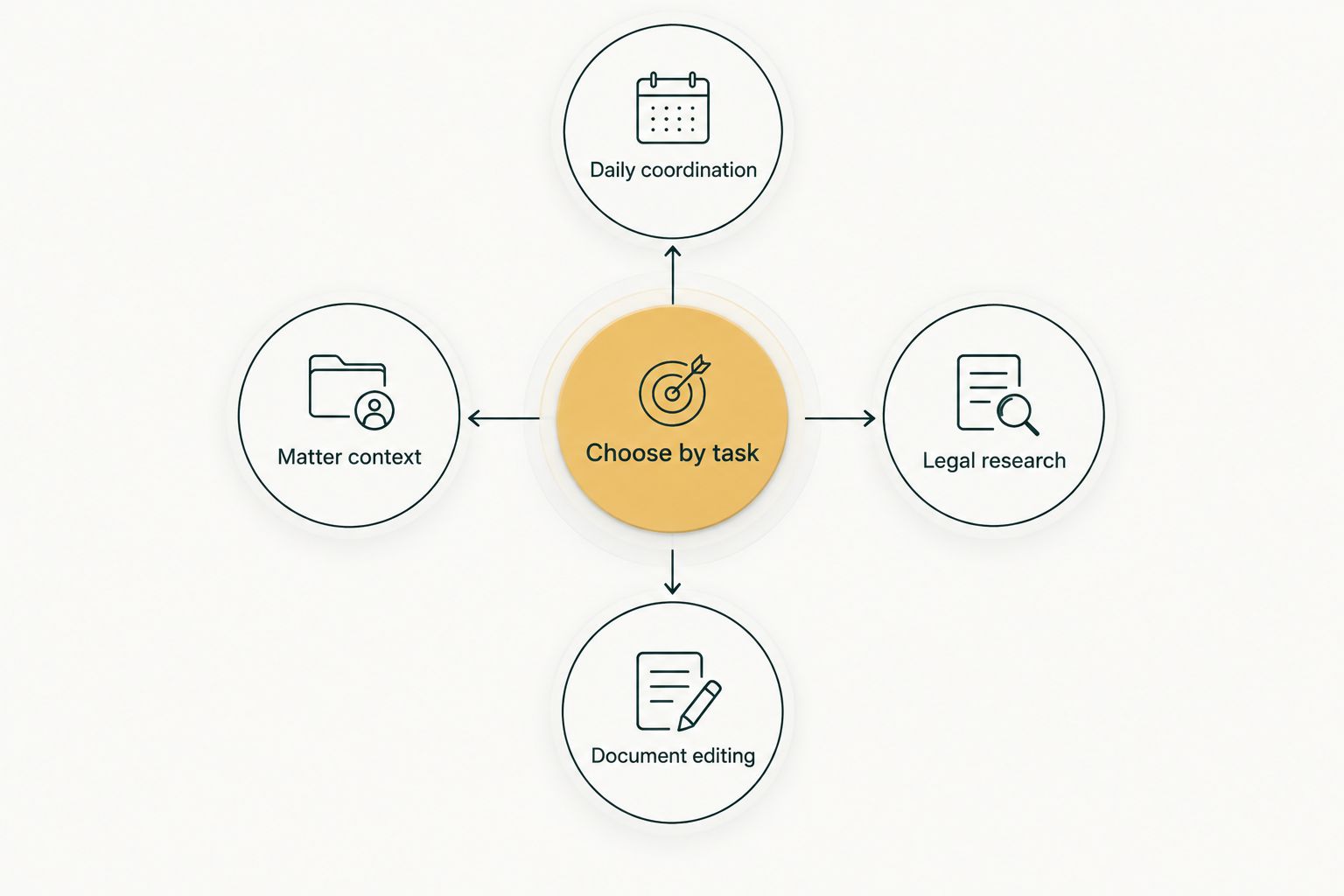
Short answer: pick by job. For legal research, CoCounsel or Lexis+ with Protégé. For a large firm buying one enterprise platform, Harvey. For firms already in Clio or Microsoft 365, start with the AI built into those. For contracts, Spellbook; for written discovery, Briefpoint; for intake marketing, Lawmatics. For the office work around matters (inbox, intake follow-up, scheduling, chasing documents), Bizzy. Prices below were checked on each vendor's own page in October 2026.
TL;DR
- Nine tools, nine different jobs. Research tools do not answer your inbox, and operations tools do not find case law.
- Only some vendors publish prices: Microsoft 365 Copilot, Clio's entry plan, Briefpoint, and others are listed with a source link; CoCounsel, Lexis+, Harvey, Spellbook, and Lawmatics quote through sales.
- ABA Formal Opinion 512 applies the ordinary duties of competence, confidentiality, communication, and fees to AI, so a lawyer still reviews anything that becomes advice or leaves the firm.
Why this matters
A law firm does not have one AI problem. It has unanswered messages, consultations to book, documents to collect from clients, matters to track, and legal questions that need careful research. Those jobs need different tools, and the lists that rank one product "best overall" usually blur that.
Adoption is still uneven. In the ABA's 2024 Artificial Intelligence TechReport, 30.2% of attorneys said their offices were using AI-based tools, ranging from 47.8% at firms with 500 or more lawyers to 17.7% for solo practitioners. Among research tools adopted or seriously considered, respondents named ChatGPT (52.1%), CoCounsel (26.0%), and Lexis+ AI (24.3%) most often. So most firms are still choosing their first tool, which makes the job-first question more important.
The professional rules have not changed because the software has. ABA Formal Opinion 512 (July 2024) says lawyers using generative AI must consider their duties of competence, confidentiality, client communication, and reasonable fees. California's 2026 practical guidance goes further and addresses agentic AI, which acts on tasks such as client intake with less prompting. Build the review point into the buying decision, not into a footnote after rollout.
What makes a good AI tool for a law firm?
Use these criteria before you book a demo. A polished answer to a sample prompt tells you less than watching the tool handle one of your real handoffs.
- The job: research, drafting, discovery, intake, or the daily coordination around all of them. Name it first.
- Sources: for research, can a lawyer open and check every authority behind an answer?
- Where the work lives: does the tool sit in the system your firm already uses for matters, email, and documents?
- Confidentiality: what happens to client information you put in? Opinion 512 makes this a professional duty, not a preference.
- Review points: who checks an output before it becomes advice, a filing, an invoice, or a client message?
- Price you can see: a published price makes a pilot easy to approve. A sales-quoted price is not a red flag, but budget time for the conversation.
The best AI tools for law firms at a glance
| Tool | Best for | Price (checked Oct 2026) | Key limitation |
|---|---|---|---|
| CoCounsel | Legal research and document analysis | Contact vendor for pricing (online quote for smaller firms) | Does not run intake or scheduling |
| Lexis+ with Protégé | Research inside Lexis+ | Contact vendor for pricing (online store for 1-3 attorneys, price varies by jurisdiction and term) | Most useful if Lexis is your research platform |
| Harvey | Large firms wanting one enterprise platform | Contact vendor for pricing | Built for large firms and legal departments, not small offices |
| Clio (built-in AI) | Firms running matters in Clio | From $49/user/month (Starter); AI plans quoted | Value depends on Clio being your system of record |
| Microsoft 365 Copilot | Drafting in Word and Outlook | $18/user/month paid yearly (promo; $21 standard) | General assistant, not a legal research tool |
| Spellbook | Contract drafting and review in Word | Contact vendor for pricing | Contracts only |
| Briefpoint | Written discovery requests and responses | $150/attorney/month, billed annually | Discovery only |
| Lawmatics | Intake and marketing automation | Contact vendor for pricing (3-user minimum) | Minimum seat count rules out solo offices |
| Bizzy | Office operations: inbox, intake follow-up, scheduling, document chasing | Scoped per firm; quoted in writing | No legal research or legal drafting |
The table is a task map, not a suggestion to buy everything. Start with the row that matches the work eating your team's week.
1. CoCounsel: for legal research and document analysis
Best for: lawyers who need help working through legal questions, reviewing documents, and drafting around a research result.
Price: Contact vendor for pricing. Thomson Reuters offers online quotes for smaller firms through a plan configurator and sales quotes above that (CoCounsel product page, checked Oct 2026).
CoCounsel is Thomson Reuters' legal AI assistant, and it can be bundled with Westlaw. Its job is legal work: research, document review, and drafting tied to legal questions. In the ABA survey it was the second most-cited research tool after ChatGPT.
Evaluate it on a question your team already knows the answer to. Open every cited authority, check that it says what the answer claims, and measure how much work remains before the result is usable advice.
Pros: built for legal tasks; pairs with Westlaw content; gives research-heavy teams a clear starting point.
Cons: no published list price; does nothing about intake, calendars, or client follow-ups.
Verdict: buy for research-heavy work; hold if your main delay is administrative.
2. Lexis+ with Protégé: for research inside Lexis+
Best for: firms that already research in Lexis and want generative AI on top of it.
Price: Contact vendor for pricing. LexisNexis sells plans online to firms of one to three attorneys, with the price depending on jurisdiction and subscription length, and quotes larger firms directly (LexisNexis online store (checked Oct 2026)).
Protégé is the AI assistant inside Lexis+. Its natural home is a firm whose lawyers already trust Lexis content and citators. Switching research platforms to get a particular AI feature is a bigger decision than the feature, so let your current platform decide between this and CoCounsel.
Pros: AI sits on top of an established research database; smaller firms can buy online.
Cons: price depends on configuration; no help with office operations.
Verdict: the research pick for Lexis firms.
3. Harvey: for large firms buying an enterprise platform
Best for: large firms and in-house legal departments that want one AI platform across many practice groups.
Price: Contact vendor for pricing. Harvey's site directs buyers to request a demo (harvey.ai, checked Oct 2026).
Harvey positions itself around the largest firms and legal departments, citing AmLaw 100 customers on its homepage. It is a serious option for a firm with the budget, IT staff, and governance process to roll out a platform. For a five-lawyer office, it is usually more platform than the job needs.
Pros: broad legal workflows; enterprise security and controls.
Cons: sales-led buying; aimed at large organizations.
Verdict: shortlist it if you are a large firm; skip it if you are not.
4. Clio (built-in AI, formerly Clio Duo): for firms working in Clio
Best for: firms that already manage matters, time, and billing in Clio.
Price: Clio's plans start at $49 per user per month for Starter. AI features such as drafted bills and documents turned into calendar events appear from the Core plan up, which Clio prices on request (Clio pricing (checked Oct 2026)).
Clio's old Duo page now redirects to its legal AI features page, which describes AI that turns court documents into calendar events and time entries into invoices ready for approval. The case for it is simple: the AI works on data your firm already keeps there. If your matters live somewhere else, that advantage disappears.
Pros: no new system to adopt for Clio firms; approval steps built into billing and calendaring.
Cons: AI tiers are not priced publicly; tied to Clio.
Verdict: evaluate it first if Clio is your system of record.
5. Microsoft 365 Copilot: for drafting in Word and Outlook
Best for: firms whose immediate need is help writing and revising in Microsoft apps.
Price: Microsoft 365 Copilot Business is $18 per user per month paid yearly, a promotional price through December 31, 2026, after which it returns to $21. It is an add-on that requires an existing Microsoft 365 Business subscription (Microsoft pricing (checked Oct 2026)).
Copilot works inside Word, Outlook, and the rest of Microsoft 365. It is useful for summarizing a long email thread or tightening a draft. It is a general productivity tool, so it does not replace a research platform, and its suggestions need the same review as a junior's first draft.
Pros: lowest published price here; no new app for staff to learn.
Cons: general office help, not legal research; does not coordinate work across your other systems.
Verdict: buy for Microsoft-heavy drafting; do not make it your only legal AI tool.
6. Spellbook: for contract drafting and review
Best for: transactional lawyers who draft and redline contracts in Word.
Price: Contact vendor for pricing. Spellbook's pricing page says pricing is based on the number of team members and offers a 7-day trial and a demo (Spellbook pricing (checked Oct 2026)).
Spellbook runs in Word and focuses on contracts: suggesting clauses, flagging risk, and comparing terms. A litigation or family practice will get little from it; a corporate or real estate practice may get a lot.
Pros: narrow focus; stays in Word.
Cons: contracts only; no published price.
Verdict: buy if contracts are your volume work.
7. Briefpoint: for written discovery
Best for: litigators who prepare discovery requests and responses every week.
Price: $150 per attorney per month, billed annually at $1,800 a year, with no per-case fees (Briefpoint pricing (checked Oct 2026)).
Briefpoint generates discovery requests and responses, including objections, and says it covers all 50 states and 98 federal district courts. It is one of the few legal AI tools with a plain published price, which makes a pilot easy to approve.
Pros: published price; one well-defined job.
Cons: discovery only; every response still needs attorney review.
Verdict: buy if discovery is a weekly grind.
8. Lawmatics: for intake and marketing automation
Best for: growing firms that want lead tracking, intake forms, and automated marketing campaigns.
Price: Contact vendor for pricing. Lawmatics quotes its Essential and Premium plans with a three-user minimum, and sells its Merlin AI add-ons on outcome- or user-based pricing (Lawmatics pricing (checked Oct 2026)).
Lawmatics is a legal CRM: it captures leads, runs intake forms, books consultations, and sends marketing sequences, with AI add-ons for lead scoring and outreach. It suits a firm that wants a dedicated intake system and has staff to configure it.
Pros: purpose-built for law firm intake; marketing automation included.
Cons: three-user minimum; another system to adopt.
Verdict: consider it if you want a new intake platform rather than help inside your current tools.
9. Bizzy: for office operations around your matters
Best for: firms where work stalls between the inbox, the calendar, and clients who have not sent what you asked for.
Price: scoped per firm and quoted in writing before work starts (see the Bizzy FAQ).
Bizzy is a done-for-you AI colleague from 33Labs. Engineers work with your firm to build an assistant inside the tools you already use. It triages the inbox, follows up on intake inquiries, books consultations, and chases clients for documents. Anything client-facing or money-related waits for a person to approve it before it goes out.
It is on this list for operations, not for legal research or legal drafting, and it does neither. Its job is the coordination that research tools ignore: the consultation request that sat unanswered over a weekend, or the bank statements nobody followed up on.
Pros: built around your existing email, calendar, and matter tools; approval gates on anything that leaves the firm; set up for you rather than configured by your staff.
Cons: no legal research or drafting; no self-serve list price.
Verdict: buy for office operations; pair it with a research tool for legal work.
How these tools are ranked
This is a ranking by job, roughly in the order most firms feel the need: research first, then platforms and systems of record, then single-task tools, then operations. It is not a claim that the tools are interchangeable or that one is best overall. Prices come only from each vendor's own pricing or product page, checked in October 2026; where a vendor does not publish a price, we say so instead of estimating.
Use the same test for every option: name the task, show the current handoff, identify who checks the result, and look at what work remains. A tool that performs well on a task your firm rarely does should not win your shortlist.
Which tool should you choose?
Write down the last task your team had to chase. If it was a research question, choose CoCounsel or Lexis+ with Protégé based on the platform you already use. If it was an update inside Clio or a draft in Word, start with the AI built into Clio or Microsoft 365 Copilot. If it was a contract or a set of interrogatories, look at Spellbook or Briefpoint. If it was an unanswered consultation request, a client who never sent their documents, or a calendar that took six emails to settle, that is office operations, and Bizzy is built for it.
Do not ask one purchase to stand in for a research process, a matter system, and a human reviewer.
FAQ
What is the best AI for law firms in 2026?
It depends on the job. CoCounsel and Lexis+ with Protégé are the research picks, Harvey suits large firms buying an enterprise platform, Clio and Microsoft 365 Copilot suit firms already working in those systems, Spellbook and Briefpoint handle contracts and discovery, and Bizzy handles office operations such as inbox triage, intake follow-up, scheduling, and document chasing.
How much do legal AI tools cost?
Published prices we checked in October 2026 range from $18 per user per month for Microsoft 365 Copilot Business (paid yearly, promotional through December 31, 2026) to $150 per attorney per month for Briefpoint billed annually. CoCounsel, Lexis+ with Protégé, Harvey, Spellbook, and Lawmatics quote prices through sales or an online configurator.
Is Bizzy a legal research or drafting tool?
No. Bizzy runs office operations: inbox triage, intake follow-up, scheduling, and chasing documents from clients, inside the tools a firm already uses. Anything client-facing or money-related waits for a person to approve it. Use a research tool such as CoCounsel or Lexis+ with Protégé for legal authority.
Is CoCounsel better than Microsoft 365 Copilot for legal research?
CoCounsel is the legal research choice of the two because it is built around legal content and tasks. Microsoft 365 Copilot is a general assistant for Word, Outlook, and other Microsoft apps, and its output still needs to be checked against authoritative sources.
What happened to Clio Duo?
Clio's Duo page now redirects to its legal AI features page, and Clio's pricing page lists AI features inside its Core, Signature, and Elite plans. Firms already running matters in Clio should evaluate those built-in features first.
What do ethics rules say about lawyers using AI?
ABA Formal Opinion 512 says the duties of competence, confidentiality, client communication, and reasonable fees apply to generative AI. State bars, including California, have issued their own guidance. Check your own jurisdiction before rolling out a tool.
Should a law firm buy more than one AI tool?
Often, yes, because the jobs are different. A research tool does not chase unanswered client emails, and an operations assistant does not find case law. Start with the task that costs the most time each week and add a second tool only when it has a distinct job.
One last thing
The overlooked question is not what an AI tool can write. It is who owns the next step after it writes, schedules, or finds something. Put that handoff into your evaluation. A clear reviewer and a clear next action tell you more than another feature list.