Comparing scoped reconciliation automation quotes
By Leandro Faria · · Updated · 10 min read
Disclosure: Bizzy is built by 33Labs, the publisher of this guide.

This guide helps a finance lead request and compare scoped reconciliation proposals; it is not a price list or a market-rate estimate. No public Bizzy reconciliation price is established here. Reconciliation that reads financial records is outside Bizzy’s standard front-office service and would require a separately agreed custom scope and feasibility review. Compare supplier charges alongside setup, data preparation, and staff review effort.
Bizzy’s standard service covers front-office administration: inquiry follow-up, routine scheduling, and reminders from approved administrative details. It does not include access to financial or privileged documents, substantive legal drafting, or custom integrations. Any proposed work beyond that boundary needs a separately agreed scope, verified technical support, and an approved data-handling arrangement; a case study is not evidence that it is included for every customer.
- This is a scoped-quote comparison checklist, not a published price range or worked budget.
- Reconciliation and financial-record access are outside standard Bizzy administration; any custom proposal needs separate feasibility and data-handling approval.
- Require separate quote lines for setup, integrations, exception review, and ongoing support.
- Use a defined pilot to check matching accuracy, unresolved items, and reviewer effort before expanding.
Why this matters
A reconciliation process is not finished when two entries match. Someone still needs to explain differences, approve corrections, and keep a record of the decision. Your buying decision needs to cover that work.
For professional service teams, start with the process you actually run: the records being compared, who owns them, and who signs off. A narrow matching task and a workflow that includes chasing documents are different assignments. Request quotes against the same assignment before comparing them.
Bizzy provides front-office administrative assistance; it does not include reconciliation or financial-record access in the standard service. Discuss reconciliation only as a possible separately scoped custom implementation, not as an included Bizzy capability. No financial-record workflow is included until a separate implementation scope and its controls are agreed.
What should a scoped reconciliation quote include?
The useful cost figure is the total commitment for your defined reconciliation workflow, not an isolated subscription fee. Ask each provider to complete the same breakdown below. Treat a bundled item as included only when the written scope says so.
| Cost component | What the quote should specify | What you need to decide |
|---|---|---|
| Recurring service | The billing basis and included scope | Whether the quoted scope matches your normal workload |
| Initial setup | Process mapping, configuration, and acceptance checks | Who owns each setup task |
| Connections | The systems and data sources covered | Whether your actual working setup is included |
| Data preparation | Importing, cleanup, and opening unresolved items | What your team must fix before starting |
| Exception review | How unmatched or uncertain items reach a person | Who reviews them and approves changes |
| Ongoing changes | Maintenance, support, and workflow amendments | What happens when your process changes |
For your 2026 comparison, ask for a 3-month total and a 12-month total using the same assumptions. These are comparison periods, not promises of payback. They help you distinguish an implementation-heavy proposal from a recurring-service-heavy proposal without disguising either commitment.
Keep internal effort beside the provider's quote. Record the staff hours assigned to preparation, testing, training, and review. If that work remains outside the calculation, your comparison describes the supplier's bill rather than the cost of operating reconciliation.
What should a quote include before you accept it?
Require a written starting point, an end point, and an owner for each handoff. For example, specify whether the workflow ends with suggested matches, an exception list, or an approved reconciliation record. Those outcomes are not interchangeable.
Also define what the workflow must not do. If a person must approve adjustments or changes to accounting records, put that boundary in the scope. An approval rule belongs in the operating instructions, not in an informal conversation after setup.
Which approach fits your reconciliation work?
Choose the approach by the work that needs doing. Do not select a broad workflow service when you only need a defined matching task, or a matching task when your main problem is collecting missing information.
The following comparison describes buying scopes, not verified capabilities of any named supplier. Use it to decide what to request and what to leave out.
| Approach | Best for | Main advantage | Main limitation |
|---|---|---|---|
| Matching-focused scope | Teams with prepared records and clear matching rules | Keeps the assignment focused on comparing entries | Leaves document collection and follow-ups outside scope unless added |
| Connected reconciliation scope | Teams that need records from existing systems | Includes the handoff between data sources and reconciliation | Requires agreement on access, mappings, and ownership |
| End-to-end workflow scope | Teams that need collection, matching, review, and follow-ups | Defines the process beyond the match itself | Adds more decisions about permissions and human approval |
Buy the smallest scope that completes the job you need done. A smaller assignment is not useful if your staff must rebuild the missing steps manually. A broader assignment is not useful if it includes work your team does not need.
Matching-focused scope
Start here when the records are ready and the rules are explicit. Write down the fields that establish a match, the differences that require review, and what counts as a duplicate. Keep uncertain cases out of automatic approval.
The benefit is a clear boundary. The limitation is equally clear: matching does not, by itself, define how someone obtains missing evidence or resolves a disputed entry. Assign that work separately.
Connected reconciliation scope
Choose this scope when moving records between systems is part of the assignment. Name each source, the direction of data movement, and the permitted actions. Read-only access and permission to change records are different responsibilities.
The benefit is a defined connection between the records and the review process. The limitation is the coordination required to establish access and verify the transferred data. Include those tasks in the acceptance checklist.
End-to-end workflow scope
Choose this scope when reconciliation includes requests for information, reminders, review routing, and completion records. Describe the handoffs in ordinary language. State who gets asked, what they need to supply, and when a person takes over.
The benefit is coverage of the surrounding administrative work. The limitation is a wider operating brief. Keep financial decisions and approval boundaries explicit rather than treating broad automation as permission to act without review.
Why reconciliation automation scope varies
For a 2026 quote, make the following factors explicit. They define the assignment you are asking a provider to take on; they are not a universal pricing formula.
- Data sources: List the records to compare and where they live. Identify any source that requires a manual export or a separate owner to grant access.
- Matching rules: Specify exact matches, acceptable differences, and cases that need judgment. Do not leave the meaning of a completed match undefined.
- Exceptions: Describe what happens to missing, duplicated, disputed, or unclear entries. Name the person responsible for resolution.
- Permissions: Separate reading records, drafting an adjustment, approving it, and posting it. Ask which actions are included in the proposed workflow.
- Starting condition: Decide whether setup includes historical unresolved items or starts from an agreed cutoff. Keep that choice visible in every proposal.
- Ongoing ownership: Assign responsibility for changed source formats, revised rules, staff departures, and support requests. Confirm what the agreement covers.
Avoid adding requirements just because a provider offers them. Every requirement should map to a real step, a control you need, or an outcome you can check. If nobody can explain its purpose, remove it from the initial brief.
How do you compare quotes without comparing different jobs?
Use one written brief for every provider. Keep the starting records, required output, permissions, and acceptance checks unchanged. Ask providers to identify exclusions directly beside the work they propose to cover.
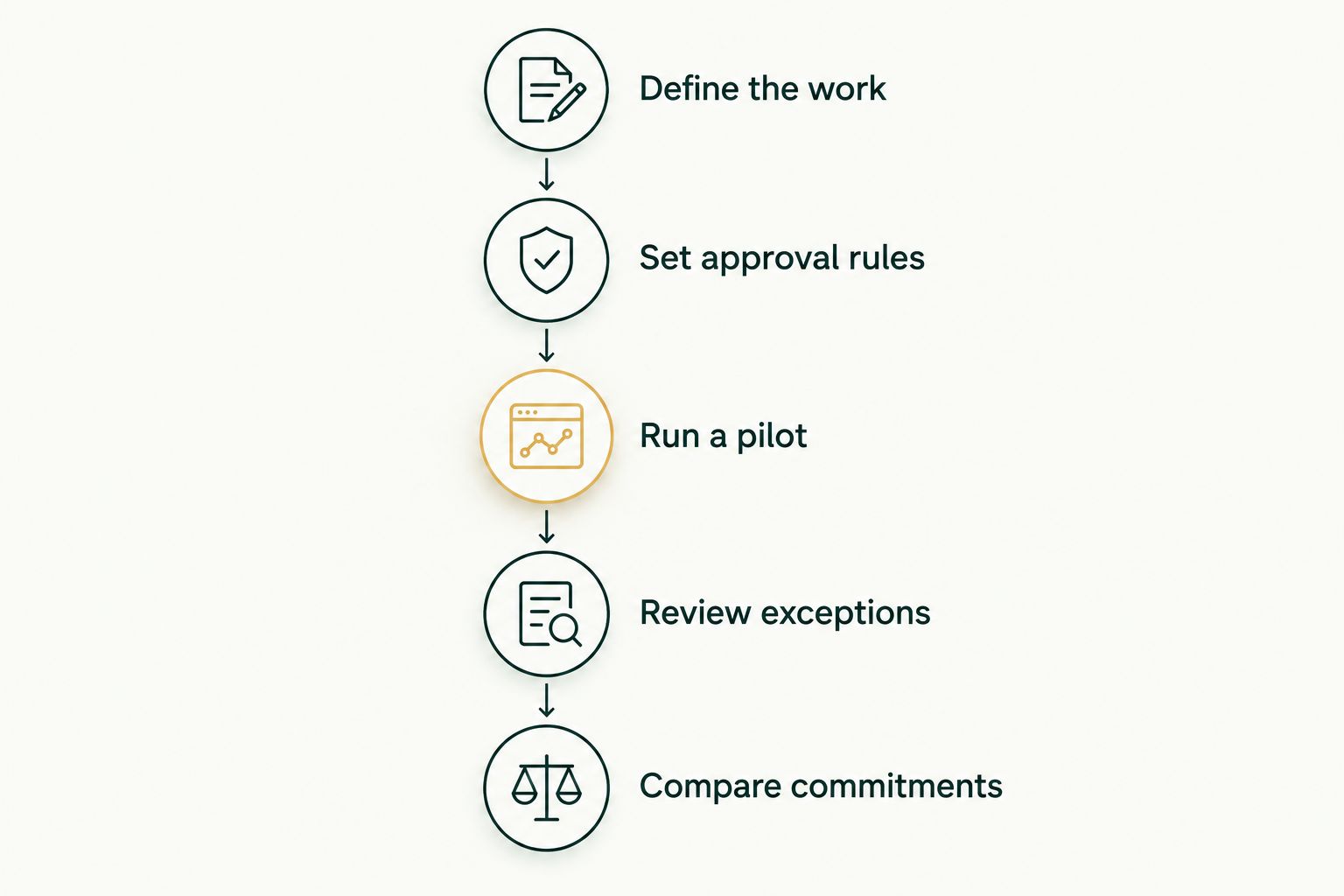
- Define the work. Describe the process from incoming records to approved completion. Name the owner of each handoff.
- Set approval rules. Specify what can happen automatically and what requires a person. Include the route for uncertain cases.
- Run a pilot. Choose a bounded set of work that includes ordinary matches and known exceptions. Agree on the review period before starting.
- Review exceptions. Check unresolved items, incorrect suggestions, and the work required from your staff. Do not judge the pilot by completed matches alone.
- Compare commitments. Put the provider's obligations beside your team's obligations. Accept the scope only when both are clear.
This sequence keeps a demonstration separate from an operating decision. A demonstration shows what happens in the example presented. Your acceptance check should establish what happens in the work you intend to hand over.
What should you measure during a pilot?
Choose a 30-day pilot if that period fits the reconciliation cycle you want to assess. This is a suggested evaluation window, not a supplier implementation promise. If the relevant cycle falls outside it, set the window around the work instead.
Record the time your team spends preparing records, reviewing suggestions, resolving exceptions, and completing approval. Keep those categories separate. A reduction in matching work does not answer whether review work has increased.
For the 2026 decision, keep an exception log with the item, the issue, the proposed action, and the final decision. Use that log to refine the brief. Do not expand the assignment until the unresolved cases have an agreed owner and handling rule.
Is the subscription the total cost of reconciliation automation?
The subscription is not a complete cost assessment unless the agreement includes every task needed to run the workflow. Check setup, connections, preparation, review, and maintenance separately. Count the work your staff retains even when the provider does not bill for it.
Ask for exclusions in writing. A proposal that clearly leaves a task with your team is easier to assess than one that never assigns the task at all.
Should you automate reconciliation before fixing the process?
Define the reconciliation rules and owners before handing over the process. Automation needs a clear instruction about what constitutes a match, what requires evidence, and who approves a change. An unresolved policy decision should remain a human decision rather than become an automatic action.
Start with a workflow your team can explain from beginning to end. Keep unusual cases visible instead of forcing them into the normal path.
Is Bizzy a fit for reconciliation automation?
Bizzy’s standard service does not reconcile accounts or process financial statements. A custom reconciliation proposal would need its own technical demonstration, permitted data sources, review rules, and written commercial terms. The standard service remains inquiry follow-up, scheduling, and administrative reminders.
Evaluate it against your actual reconciliation brief. A case study or general description of an AI colleague does not establish support for your ledgers, banks, matching rules, or required controls.
FAQ
What should a scoped reconciliation quote include?
Assess reconciliation automation cost as the recurring service commitment plus setup, connections, and internal review work. Request a scoped quote and compare proposals using the same workflow and responsibilities.
What should I ask a reconciliation automation provider before signing?
Ask the provider to specify included work, exclusions, permissions, approval rules, and ongoing ownership. Require a clear definition of completion and a named owner for unresolved items.
Is reconciliation automation the same as automatic matching?
Automatic matching is a narrower task than a workflow that also collects records, routes exceptions, requests evidence, and records approval. Specify which of those tasks your proposed scope includes.
How long should I evaluate a reconciliation workflow?
A 30-day pilot is a suggested starting point when it covers the reconciliation cycle you need to assess. Set the evaluation window around the actual work rather than treating that duration as an implementation promise.
Can I keep human approval in an automated reconciliation process?
Make human approval a requirement in the written workflow. Specify which proposed actions need approval and confirm that the selected implementation follows those boundaries.
What should I compare besides the recurring service fee?
Compare setup responsibilities, data preparation, connections, exception review, support, and ongoing changes. Include your team's retained work so the assessment covers operating effort as well as the supplier agreement.
One last thing
Before signing a 2026 agreement, ask the provider to walk through an entry that does not match. Follow it from detection to evidence collection, review, approval, and closure. Identify every point where your team must step in.
That walkthrough gives you a concrete buying test: the reconciliation scope is only complete when the unmatched item has an owner and a defined next action. Use that standard to accept the proposal, narrow it, or send it back.