Best AI tools for family law attorneys in 2026
By Leandro Faria · · Updated · 11 min read
Disclosure: Bizzy is built by 33Labs, the publisher of this guide.

Short answer: family law needs more than a legal AI chatbot. For support calculations and financial affidavits, Family Law Software. For co-parenting records, OurFamilyWizard or TalkingParents. For discovery, Briefpoint. For research, CoCounsel. For matter management, Clio. For questions about long PDFs, Adobe Acrobat. For first drafts with fictional facts, ChatGPT. For the office work around a divorce (intake follow-up, scheduling, chasing bank statements), Bizzy. Every price below was checked on the vendor's own page in October 2026.
TL;DR
- Nine tools, including three built for family law: Family Law Software, OurFamilyWizard, and TalkingParents.
- Most publish prices; CoCounsel quotes through sales or an online configurator.
- Numbers that go to a court should come from calculation software you can check, not from a chatbot.
- ABA Formal Opinion 512 applies your existing duties, including confidentiality, to every AI tool you use.
Why this matters
Family law work combines legal analysis with a heavy load of practical tasks: collecting financial records, running support numbers, tracking what each parent said and paid, scheduling around two households, and keeping anxious clients informed. Those jobs need different tools, and generic "legal AI" lists cover only the research slice.
Choose the unfinished job before choosing the tool. An assistant that answers questions about a PDF does not run a child support guideline. A co-parenting app does not research case law. An office operations assistant does not decide whether a custody argument rests on current law.
Confidentiality is sharper in family matters than almost anywhere else: finances, health, children. ABA Formal Opinion 512 says the duty to protect client information applies when lawyers use generative AI, and California's 2026 practical guidance warns that information entered into some AI tools can be used to train them. Check data handling before you put any of it into a tool.
What makes a good tool for a family law practice?
- Job fit: match the tool to calculations, co-parenting records, discovery, research, PDF review, drafting, or office operations.
- Checkable numbers: support and property figures should come from software that shows its inputs and follows your state's guidelines.
- Source visibility: for research and document questions, you can see where an answer came from.
- Information controls: review permissions, retention terms, and training settings before entering client or child information.
- Review boundaries: decide who approves outgoing messages, calendar changes, legal conclusions, and filings.
- Correction effort: judge the result by the work needed to make it usable.
At a glance: the 2026 shortlist
| Tool | Best for | Price (checked Oct 2026) | Key limitation |
|---|---|---|---|
| Family Law Software | Support calculations, property division, financial affidavits | $39.95-$79.95/month plus $99 initial fee | Calculation software, not generative AI |
| OurFamilyWizard | Co-parenting communication records | $110-$299.88 per parent per year; free professional access | Parents subscribe, not the firm |
| TalkingParents | Co-parenting messaging, calls, and payments | $7, $16, or $32/month | AI writing help only on the top plan |
| Briefpoint | Written discovery requests and responses | $150/attorney/month, billed annually | Discovery only |
| CoCounsel | Source-based legal research | Contact vendor for pricing (online quote configurator) | No published list price |
| Clio (built-in AI) | Practice management | From $49/user/month (Starter); AI plans quoted | Value depends on using Clio |
| Adobe Acrobat AI Assistant | Questions about long PDFs | Included in Express $9.99, Pro $19.99, Studio $24.99/month | Answers only from the files you give it |
| ChatGPT | General first drafts with fictional facts | Plus $20/month; Business $25/user/month monthly or $20 billed annually | Not a source of authority; watch data settings |
| Bizzy | Office operations: intake follow-up, scheduling, document chasing | Scoped per firm; quoted in writing | No legal research or legal drafting |
1. Family Law Software: for support calculations and financial disclosures
Best for: attorneys who run child and spousal support numbers, divide property, and prepare financial affidavits.
Price: Cloud Basic $39.95, Cloud Individual $69.95, and Cloud Firm Edition $79.95 per month, each plus a $99 initial fee ($479.40, $939.40, and $1,059.40 for the first year). Firm Edition licensees after the third are half price (Family Law Software pricing (checked Oct 2026)).
This is not generative AI, and that is the point. Basic covers financial affidavits in 13 states plus child and spousal support and tax calculations; Individual adds property division, budgeting, "what if" scenarios, and pension valuation. Numbers you put in front of a court should be repeatable, and this software shows its inputs.
Pros: built for family law math; published prices; money-back guarantee period.
Cons: affidavit coverage is limited to certain states; not an assistant for writing or research.
Verdict: buy if you run support numbers more than occasionally.
2. OurFamilyWizard: for co-parenting records
Best for: attorneys whose clients need a documented channel with the other parent.
Price: per parent, Basic $110, Essentials $149.99, Premium $216, and Max $299.88 per year. Legal and mental health professionals can be given free access to view account activity and download records (OurFamilyWizard pricing (checked Oct 2026)).
OurFamilyWizard is a co-parenting platform for messages, calendars, expenses, and calls. From Essentials up it includes a Writing Assistant that helps parents rewrite messages "with clarity and empathy." For the attorney, the value is the record: a client can grant you access instead of forwarding screenshots.
Pros: structured records you can download; free professional access; AI tone help for parents.
Cons: the client pays and controls the account; you work with the record, not the platform.
Verdict: recommend it to clients in high-conflict parenting matters.
3. TalkingParents: for co-parenting communication
Best for: clients who need secure messaging, recorded calls, and payment tracking at a lower monthly cost.
Price: Essentials $7, Enhanced $16, and Ultimate $32 per month, with a 30-day free trial and possible fee waivers for financial hardship or domestic violence survivors (TalkingParents pricing (checked Oct 2026)).
TalkingParents covers secure messaging, a shared calendar, and accountable calling on every plan. Its AI features, Sentiment Scanner and Writing Assist, are on the Ultimate plan. The fee waivers matter for clients who cannot afford another subscription.
Pros: low entry price; fee waivers; recorded communication.
Cons: AI help only on the top plan; client-side tool.
Verdict: a lower-cost alternative to recommend.
4. Briefpoint: for written discovery
Best for: contested divorces and custody cases with interrogatories and requests for production.
Price: $150 per attorney per month, billed annually at $1,800 a year (Briefpoint pricing (checked Oct 2026)).
Briefpoint drafts discovery requests and responses, including objections, and can collect client answers and files. In a contested financial case, that is where a lot of hours go. Every response still needs your review before service.
Pros: published price; handles a high-volume task.
Cons: annual commitment; discovery only.
Verdict: buy if your docket is mostly contested.
5. CoCounsel: for source-based legal research
Best for: research on custody standards, relocation, or property characterization where you need authorities you can check.
Price: Contact vendor for pricing. Thomson Reuters gives smaller firms online quotes through a plan configurator (CoCounsel product page, checked Oct 2026).
CoCounsel is Thomson Reuters' legal AI assistant and can be paired with Westlaw. Family law is state-specific and changes through case law, so open every authority it cites and confirm it is current in your jurisdiction.
Pros: built for legal research; inspectable sources.
Cons: no published list price; no help with office work.
Verdict: buy if research is a weekly need.
6. Clio (built-in AI, formerly Clio Duo): for practice management
Best for: family law firms that run matters, time, and billing in Clio.
Price: plans start at $49 per user per month for Starter; AI features start at Core, which Clio prices on request (Clio pricing (checked Oct 2026)).
Clio's Duo page now redirects to its legal AI features page, which describes AI that turns court documents into calendar events and time entries into invoices ready for approval. In family law, where hearing dates and temporary orders drive the calendar, that matters if Clio is already your system.
Pros: works on data already in Clio; approval built into billing.
Cons: AI tiers not priced publicly.
Verdict: evaluate it first if you use Clio.
7. Adobe Acrobat AI Assistant: for questions about long PDFs
Best for: finding things in long financial statements, prior orders, or a stack of disclosures.
Price: AI Assistant is included in Acrobat Express ($9.99/month), Acrobat Pro ($19.99/month), and Acrobat Studio ($24.99/month) (Adobe AI Assistant page (checked Oct 2026)).
Ask where a document mentions a retirement account or a change in income, then go to the page and read it yourself. The assistant answers from the files you give it, which is useful for navigation and dangerous as a substitute for reading.
Pros: cheap; works on the PDFs you already have.
Cons: only as complete as the documents you upload; check permitted use before uploading client files.
Verdict: a low-cost reading aid.
8. ChatGPT: for general first drafts with fictional facts
Best for: plain-language explanations of the divorce process, letter templates, and rewrites.
Price: ChatGPT Plus is $20 per month (OpenAI help center (checked Oct 2026)); ChatGPT Business is $25 per user per month billed monthly or $20 billed annually (OpenAI Business overview (checked Oct 2026)).
Use it with fictional or de-identified facts. OpenAI's Plus help article says conversations may be used to improve its models unless you opt out, which makes it a poor place for a client's finances or a child's details unless you have checked the settings.
Pros: inexpensive; fast drafts.
Cons: no legal authority; data settings need attention.
Verdict: fine for templates and explanations; keep client facts out.
9. Bizzy: for family law office operations
Best for: firms where matters stall waiting on clients: unreturned intake forms, missing bank statements, and hearing prep scheduled across two calendars.
Price: scoped per firm and quoted in writing before work starts (see the Bizzy FAQ).
Bizzy is a done-for-you AI colleague from 33Labs. Engineers build an assistant inside the email, calendar, and document tools the firm already uses. It follows up on consultation inquiries, triages the inbox, books meetings, and chases clients for the financial documents a disclosure is waiting on. Anything client-facing or money-related waits for a person to approve it.
It does not do legal research or draft pleadings. In family law, where a matter can sit for weeks because a client has not sent three months of statements, the chasing is often the bottleneck.
Pros: set up for you; approval gates on everything that reaches a client.
Cons: no legal research or drafting; no self-serve list price.
Verdict: buy for office operations; pair it with the legal tools above.
How we ranked
Family-law-specific tools come first because generic lists leave them out, then legal tools, then general tools, then operations help. This is a selection guide by job, not a measured performance ranking. Prices come only from each vendor's own pricing or help pages, checked in October 2026; where a vendor does not publish a price, we say so.
Test the workflow before expanding it
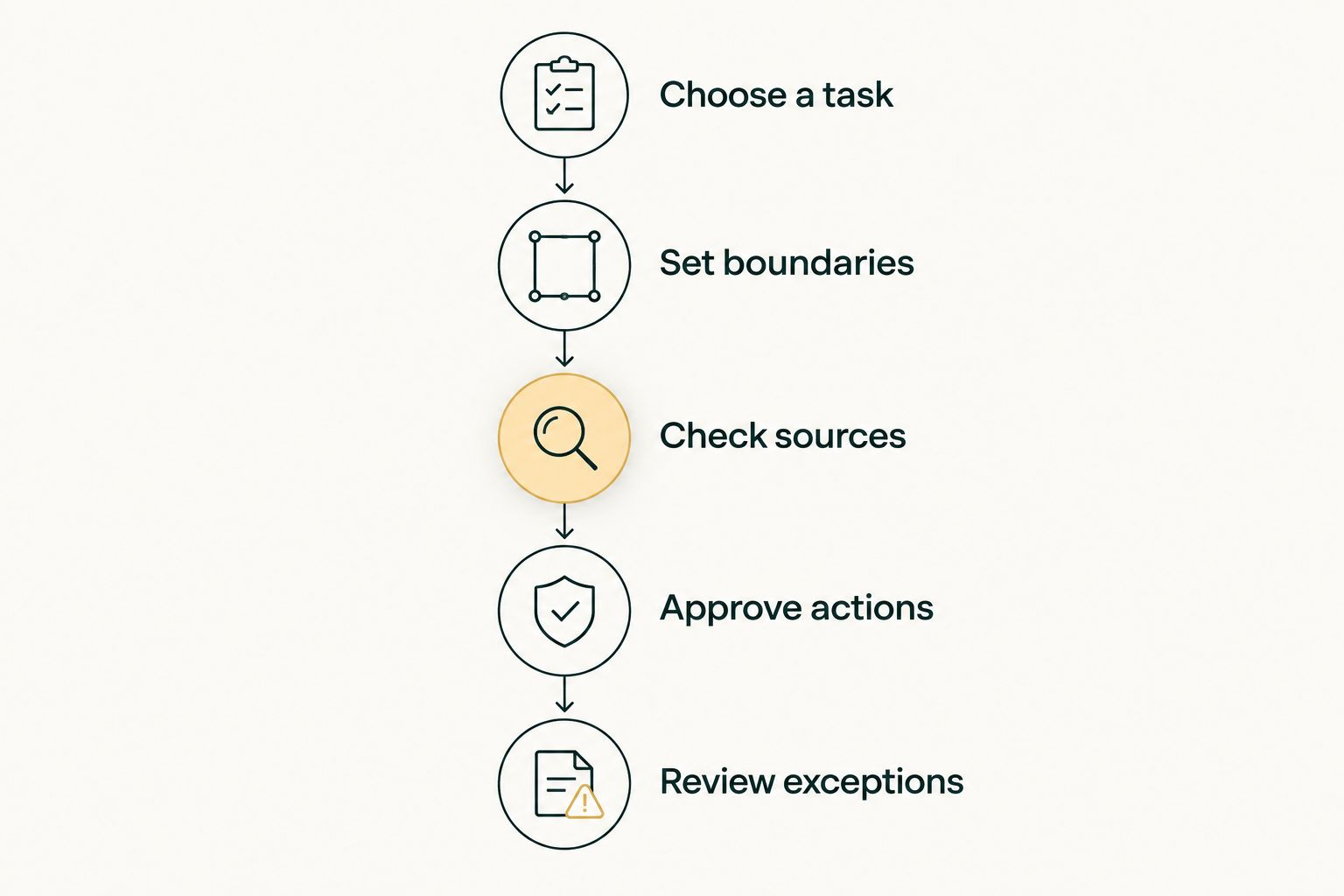
Use a small, deliberate evaluation. The sample sizes are suggested test targets, not vendor performance claims: start with 5 fictional matters, inspect 10 outputs, and have 2 reviewers compare their findings.
- Choose a task: pick one repeatable job with a recognizable finished result. Avoid starting with an entire matter.
- Set boundaries: document permitted information, permitted actions, and actions that require approval.
- Check sources: compare research and document answers with the underlying material.
- Approve actions: review drafts and proposed changes before anything reaches a client, court, or opposing counsel.
- Review exceptions: test missing information, conflicting instructions, and an unclear next step. Decide who takes over.
Which tool should you choose?
Name the job. Support numbers and affidavits: Family Law Software. A client fighting with the other parent by text: recommend OurFamilyWizard or TalkingParents. Discovery: Briefpoint. Research: CoCounsel. Matter management: Clio. A 200-page disclosure: Acrobat. A plain-language letter template: ChatGPT. Matters stuck waiting on documents and callbacks: Bizzy.
FAQ
What's the best AI tool for family law attorneys in 2026?
It depends on the job. Family Law Software handles support calculations and financial affidavits, OurFamilyWizard and TalkingParents give you co-parenting records, Briefpoint handles written discovery, CoCounsel handles legal research, Clio handles practice management, Acrobat answers questions about PDFs, ChatGPT drafts with fictional facts, and Bizzy runs office operations such as intake follow-up, scheduling, and chasing financial documents.
How much do these tools cost?
Published prices we checked in October 2026 include $39.95 to $79.95 per month plus a $99 initial fee for Family Law Software, $110 to $299.88 per parent per year for OurFamilyWizard, $7 to $32 per month for TalkingParents, $150 per attorney per month for Briefpoint billed annually, $49 per user per month for Clio Starter, $9.99 to $24.99 per month for Acrobat plans that include AI Assistant, and $20 per month for ChatGPT Plus. CoCounsel quotes prices through sales or an online configurator.
Can an AI assistant write a divorce filing?
An assistant can help prepare draft text, but an attorney must verify the facts, law, requested relief, and procedural requirements. Do not treat generated text as ready to file.
Are co-parenting apps something the firm buys?
Usually not. Parents subscribe to OurFamilyWizard or TalkingParents, often because a court order or agreement requires it. OurFamilyWizard lets parents give their legal professionals free access to view account activity and download records, which is where the attorney benefits.
Is Family Law Software an AI tool?
It is calculation software rather than generative AI. It is on this list because support calculations, property division, and financial affidavits are core family law work, and deterministic numbers are what you want there.
Does Bizzy do legal research or draft pleadings?
No. Bizzy handles office operations: following up on intake inquiries, scheduling, triaging the inbox, and chasing clients for financial documents, inside the tools the firm already uses. Anything client-facing or money-related waits for a person to approve it.
Should you put client information into ChatGPT?
Not without checking the plan's data controls. OpenAI's help center says Plus conversations may be used to improve its models unless you opt out. Use fictional facts for drafting and follow ABA Formal Opinion 512 and your state bar's guidance on confidentiality.
One last thing
Before you trust any tool with more work, give it a matter with a missing fact. A good result is an explicit request for the missing information, not a finished answer built on an assumption.